Android beta
Install GrubLog on your Android phone
Six steps, about three minutes. Until GrubLog is on Google Play, the beta installs straight from our build page, so your phone will warn you a couple of times. That’s expected.
Step 1 of 6
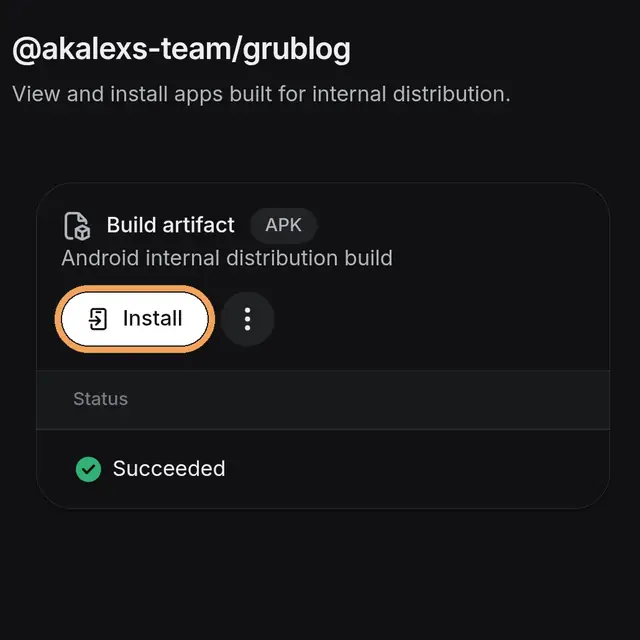
Open the download page and tap Install
Open the link below in Chrome on your phone, then tap Install.
Open the download pageDo this on your phone. The app is about 160 MB, so Wi-Fi helps.
Step 2 of 6
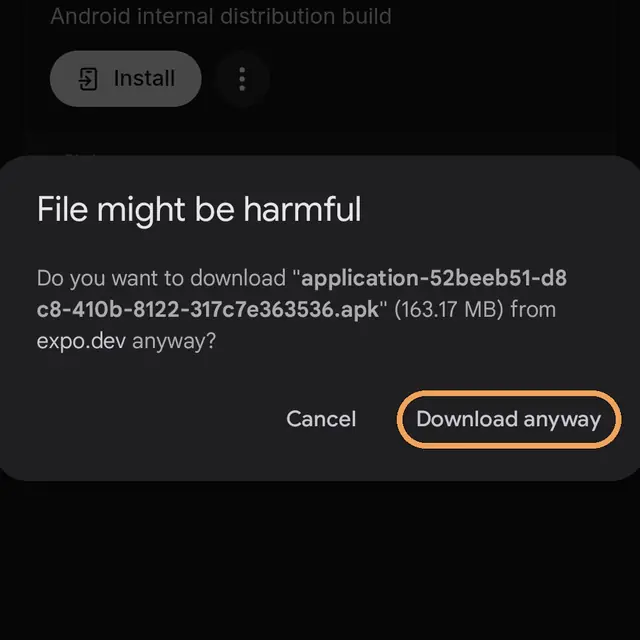
Tap Download anyway
Chrome warns about any app that doesn’t come from Google Play. This one is GrubLog, so tap Download anyway.
Step 3 of 6
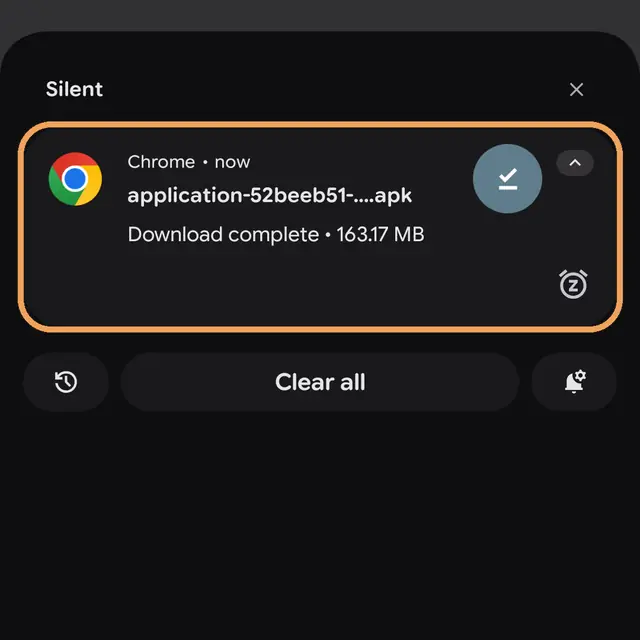
Open the download
When it finishes, tap the download in your notifications, or Open at the bottom of Chrome. If your phone asks whether Chrome can install apps, tap Settings, turn on Allow from this source, and go back.
Step 4 of 6
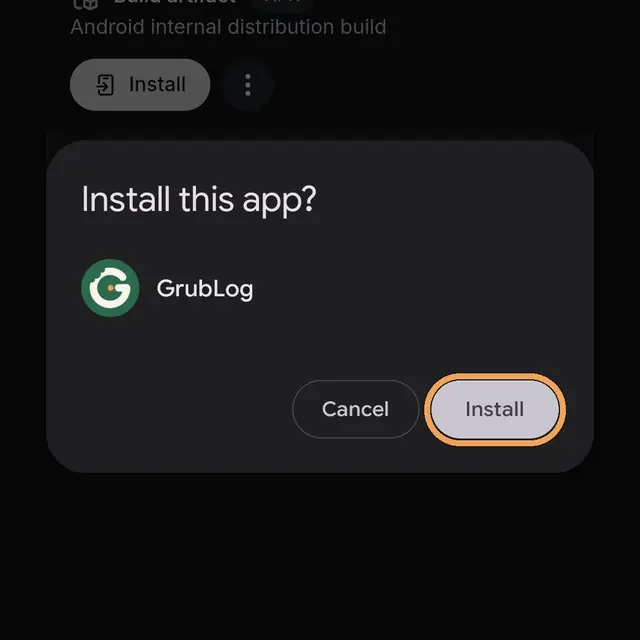
Tap Install
Your phone asks if you want to install GrubLog. Tap Install.
Step 5 of 6
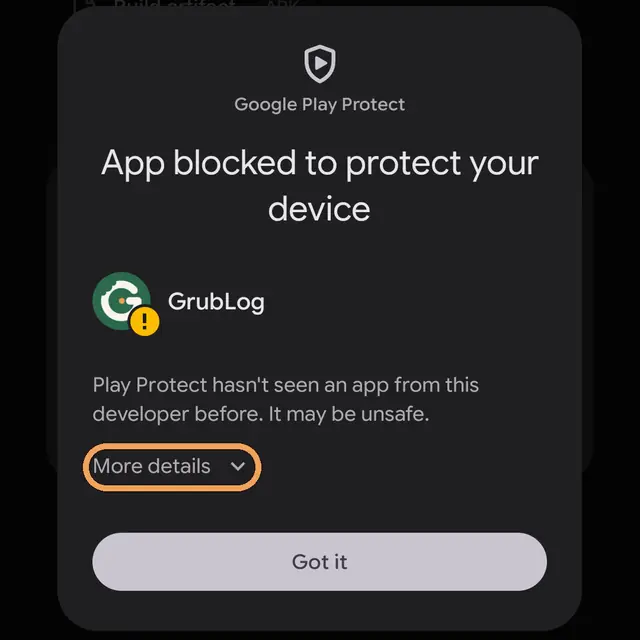
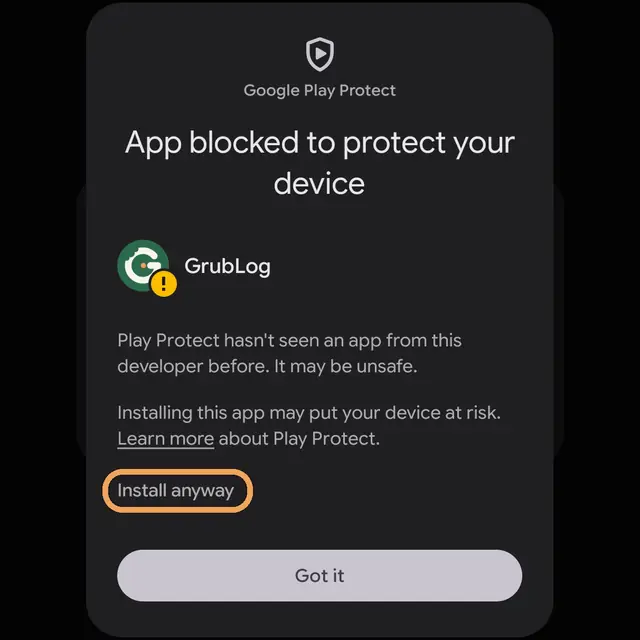
Tap More details, then Install anyway
Play Protect hasn’t seen GrubLog yet because it isn’t on Google Play. Tap More details, then Install anyway. When it’s done, open GrubLog from your home screen.
Step 6 of 6
Close GrubLog and open it again
The first time it opens, GrubLog downloads the latest updates in the background. Open your recent apps (swipe up from the bottom and hold, or tap the square button), swipe GrubLog away, then open it again. Now you’re on the newest version.
Found a bug?
Take a screenshot and email it to grublogapp@gmail.com with a line about what you were doing. That’s all we need.
Something not working?
If nothing happens when you open the download, check that Chrome can install apps: Settings, Apps, Chrome, Install unknown apps. Have an older test version? Install the new one over it. Still stuck? Email grublogapp@gmail.com.
On iPhone? Install it with TestFlight.